עוד כמה שניות, הפרויקט עולה…

זמינה לעבודה לכל העבודות
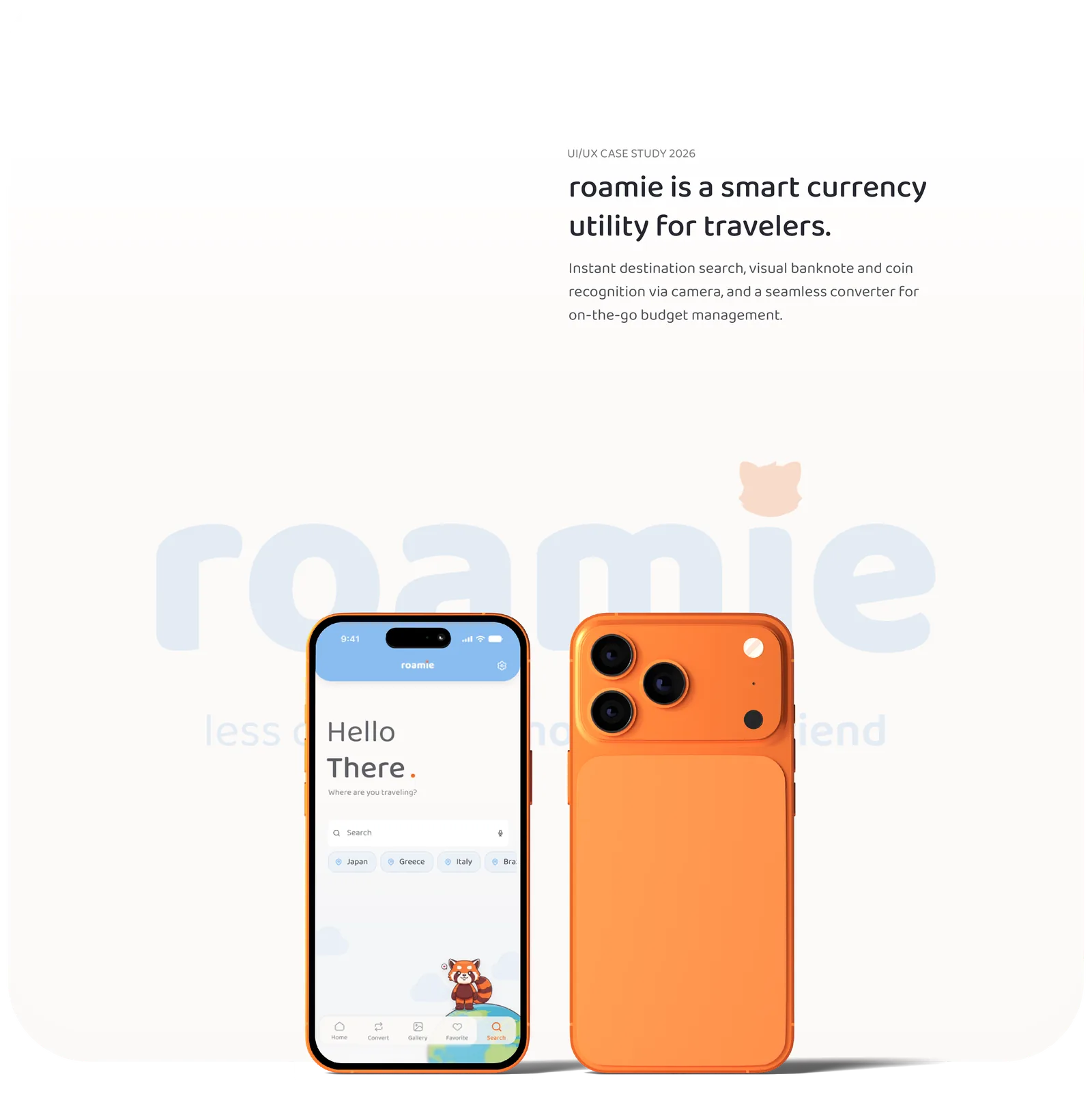
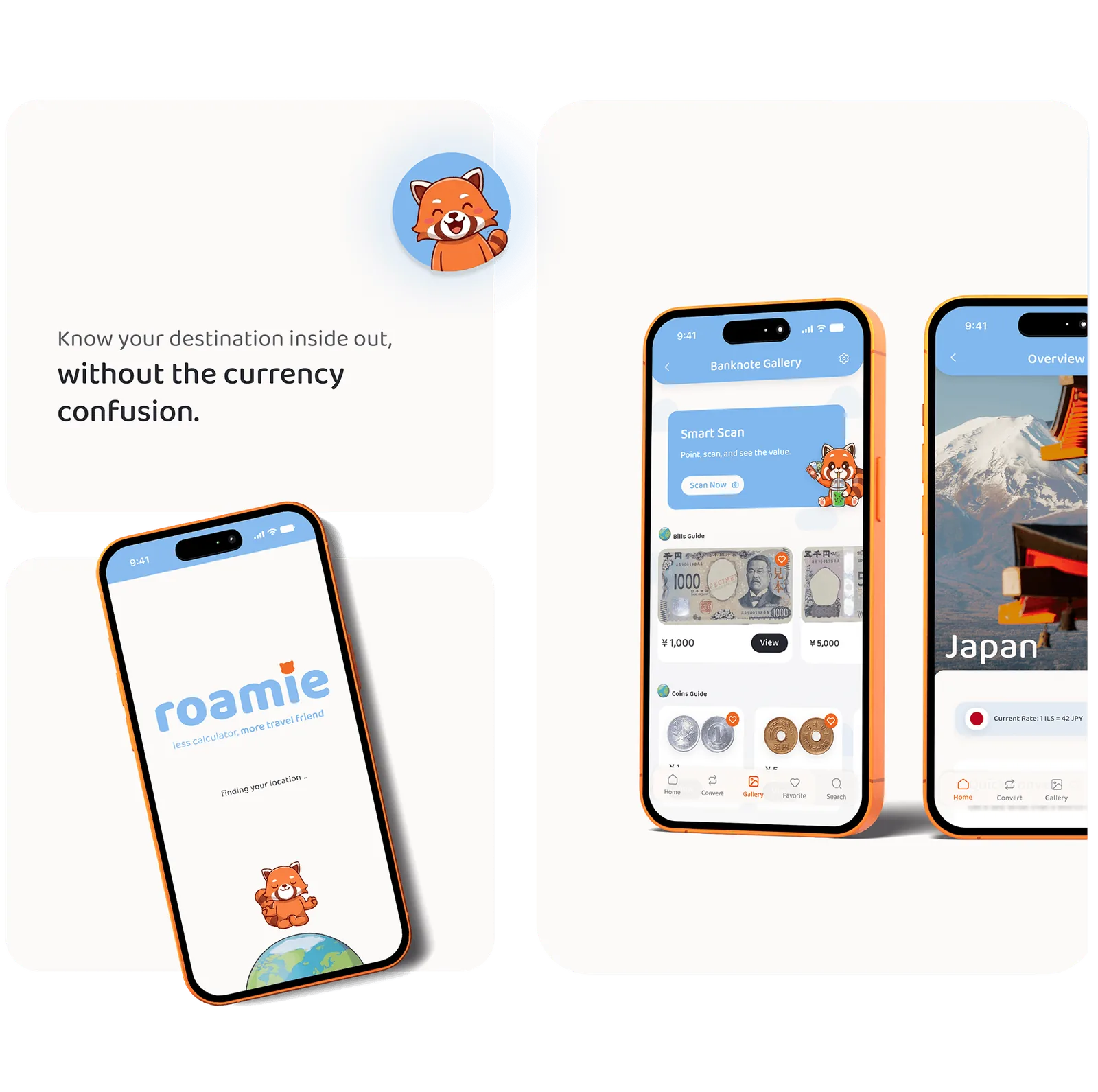
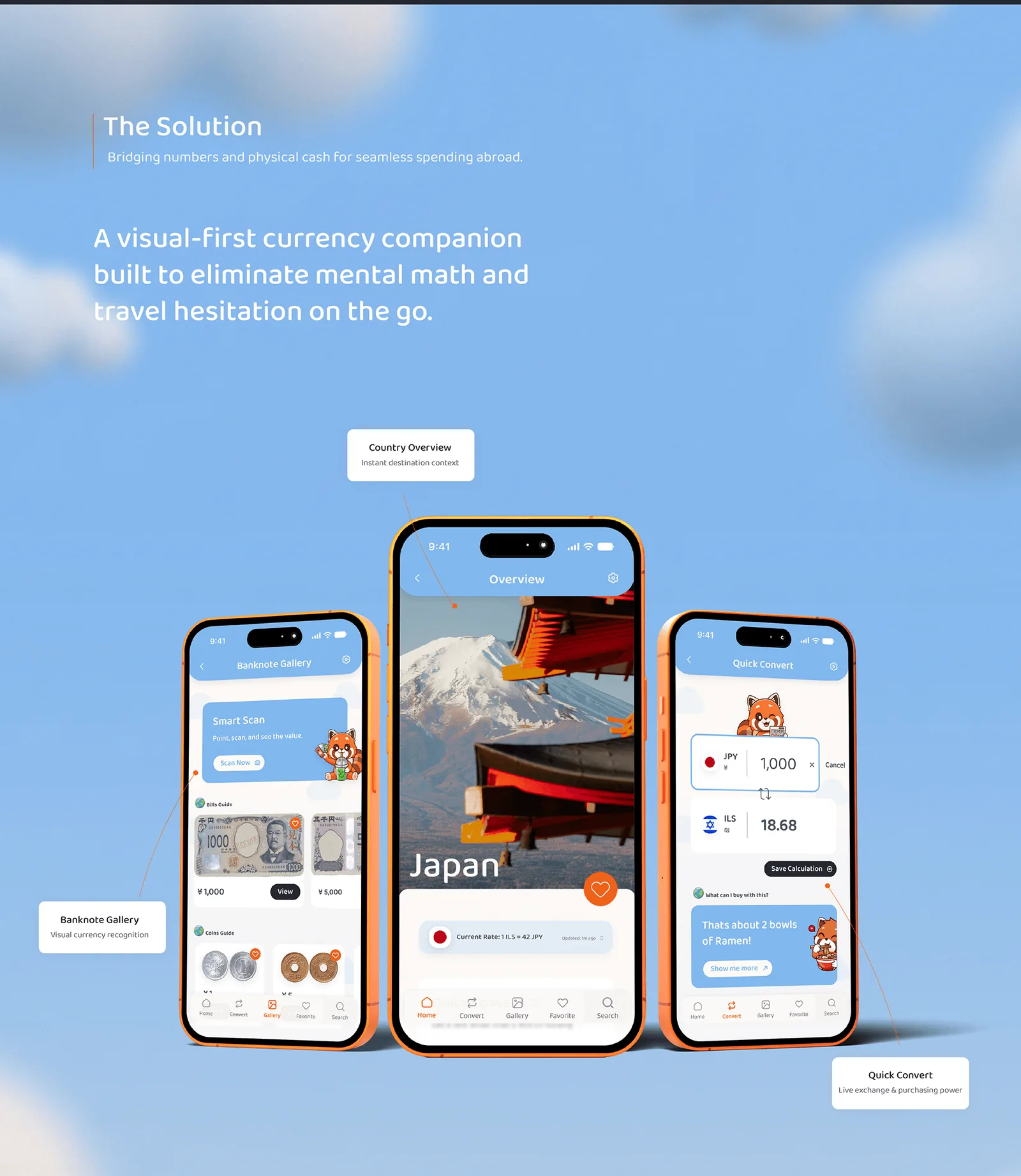
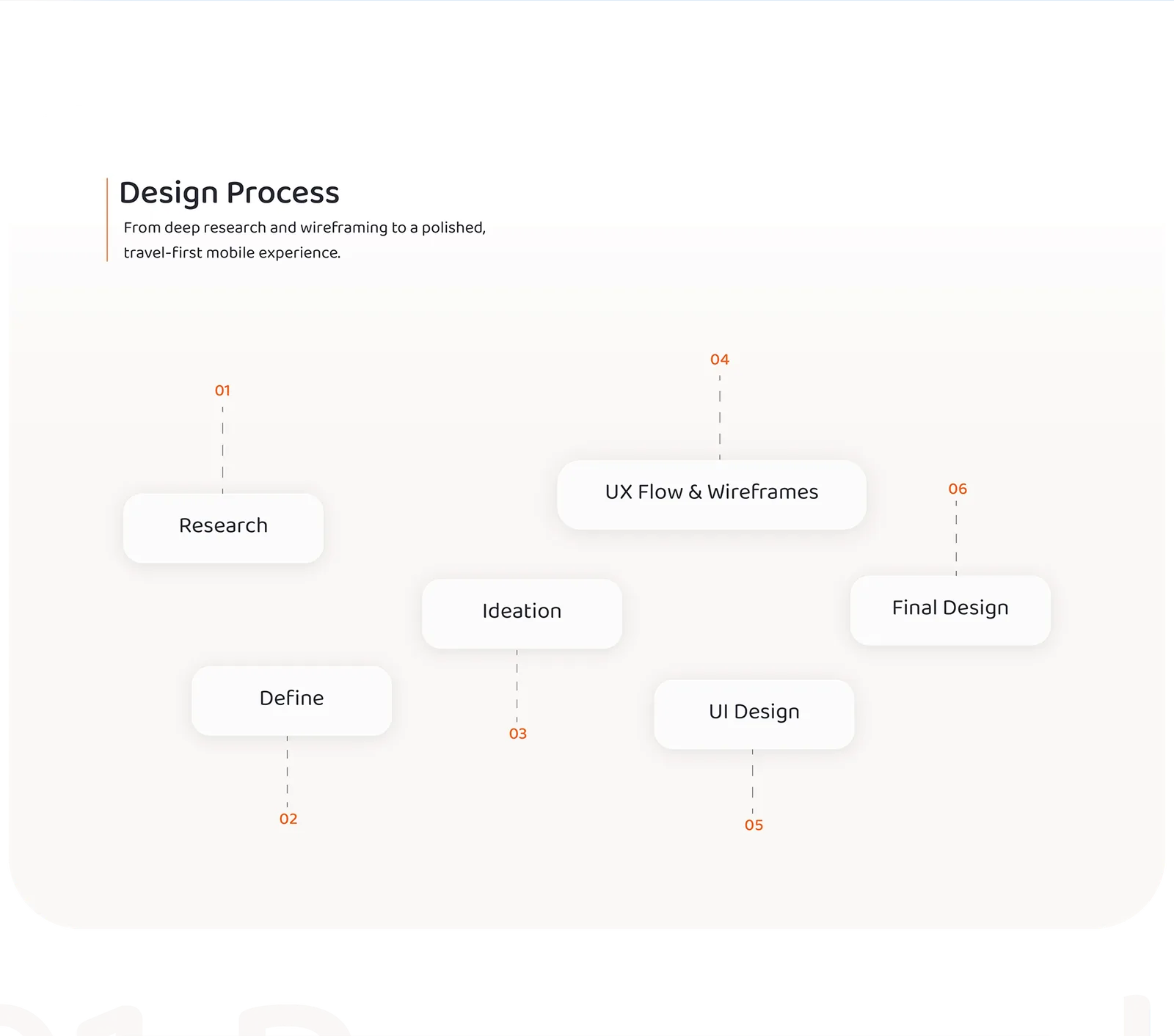
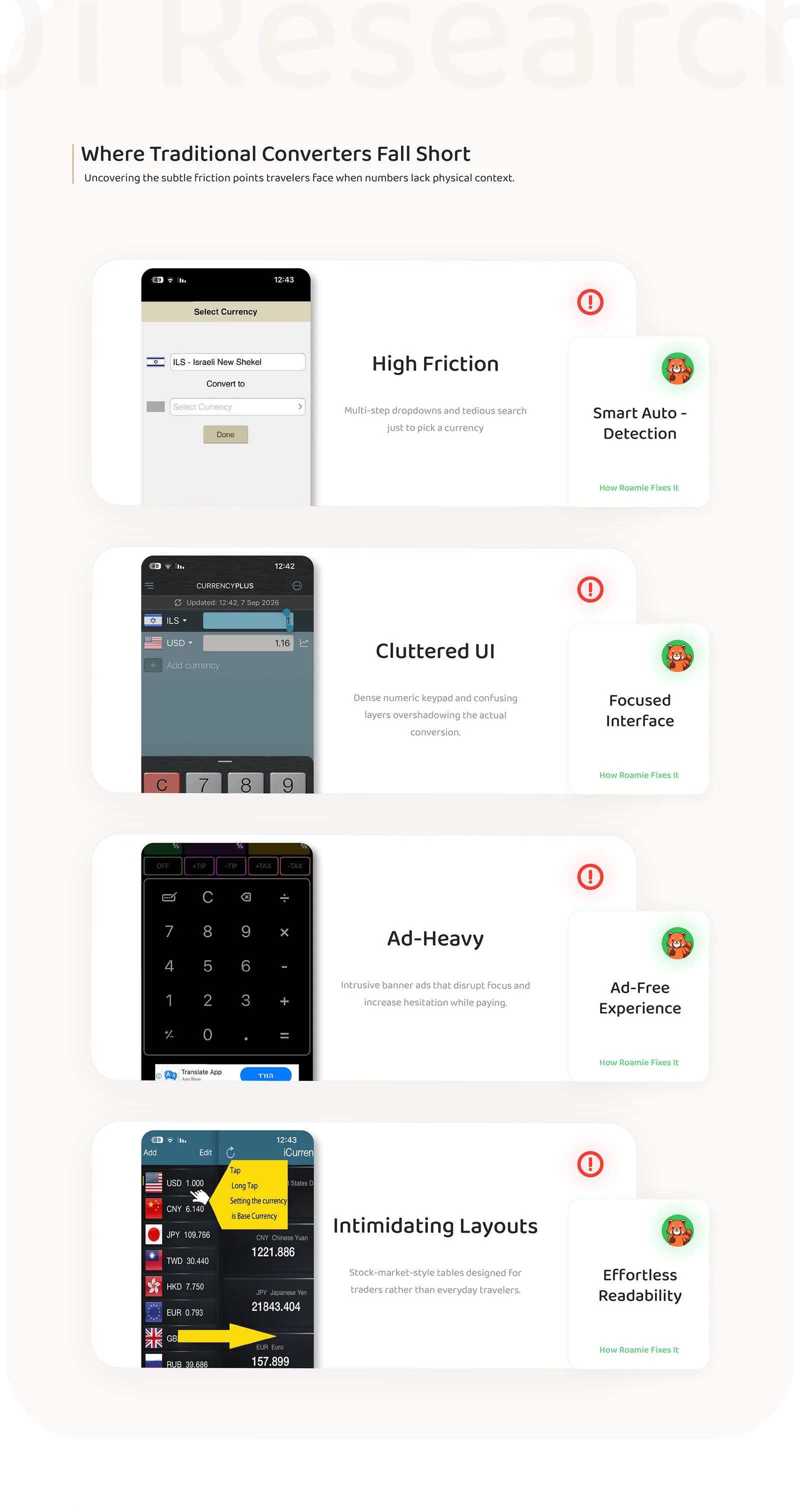
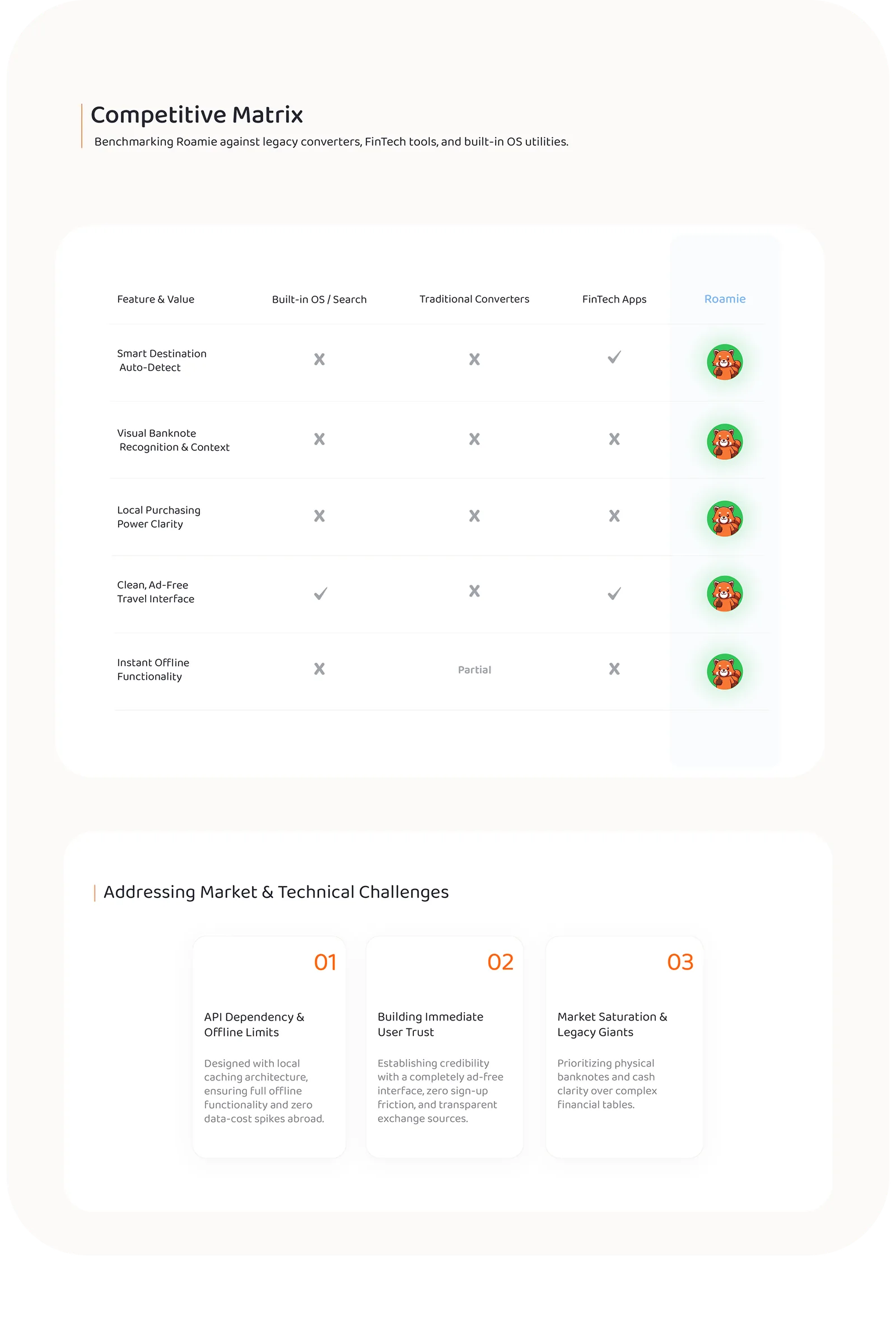
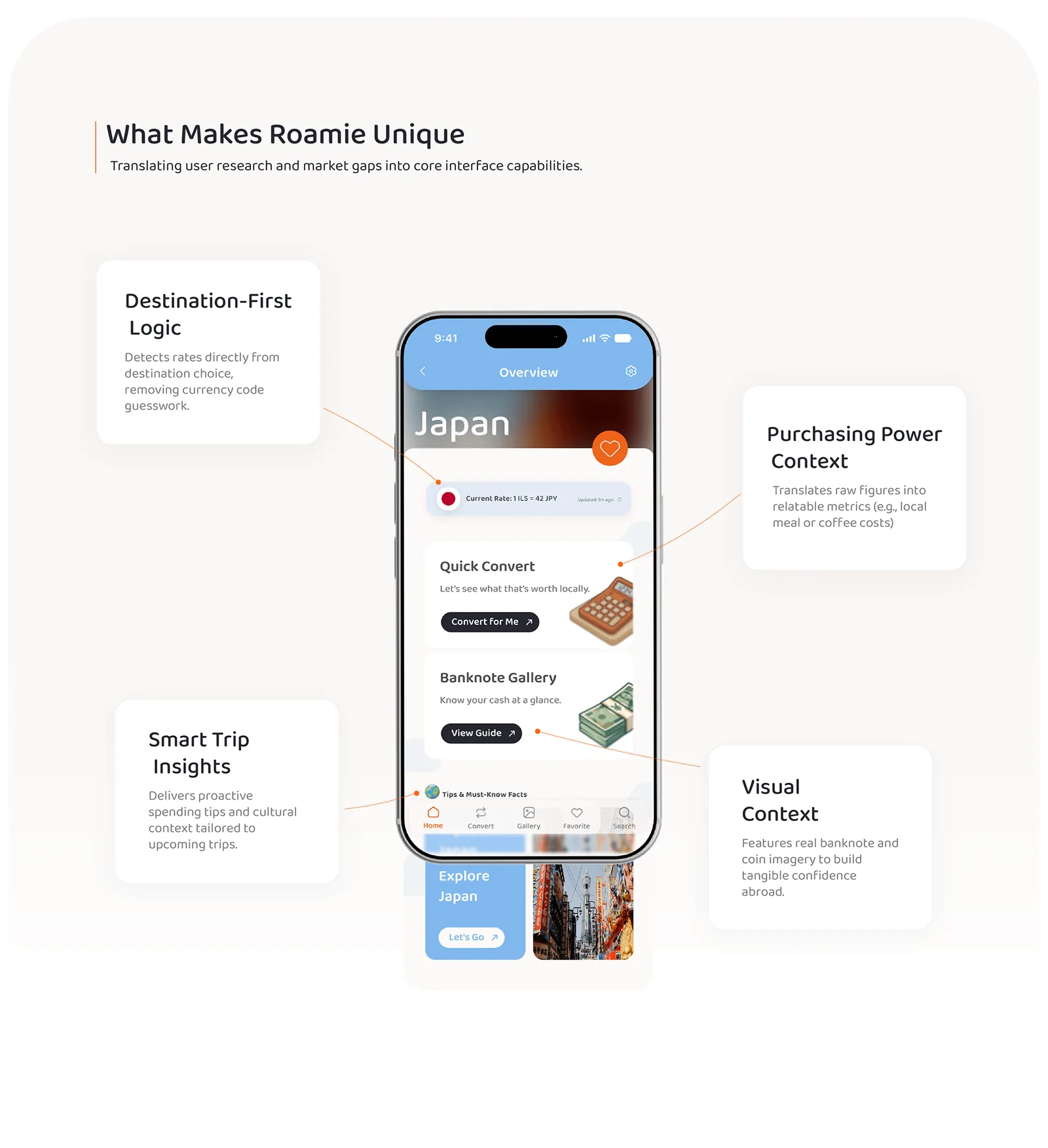
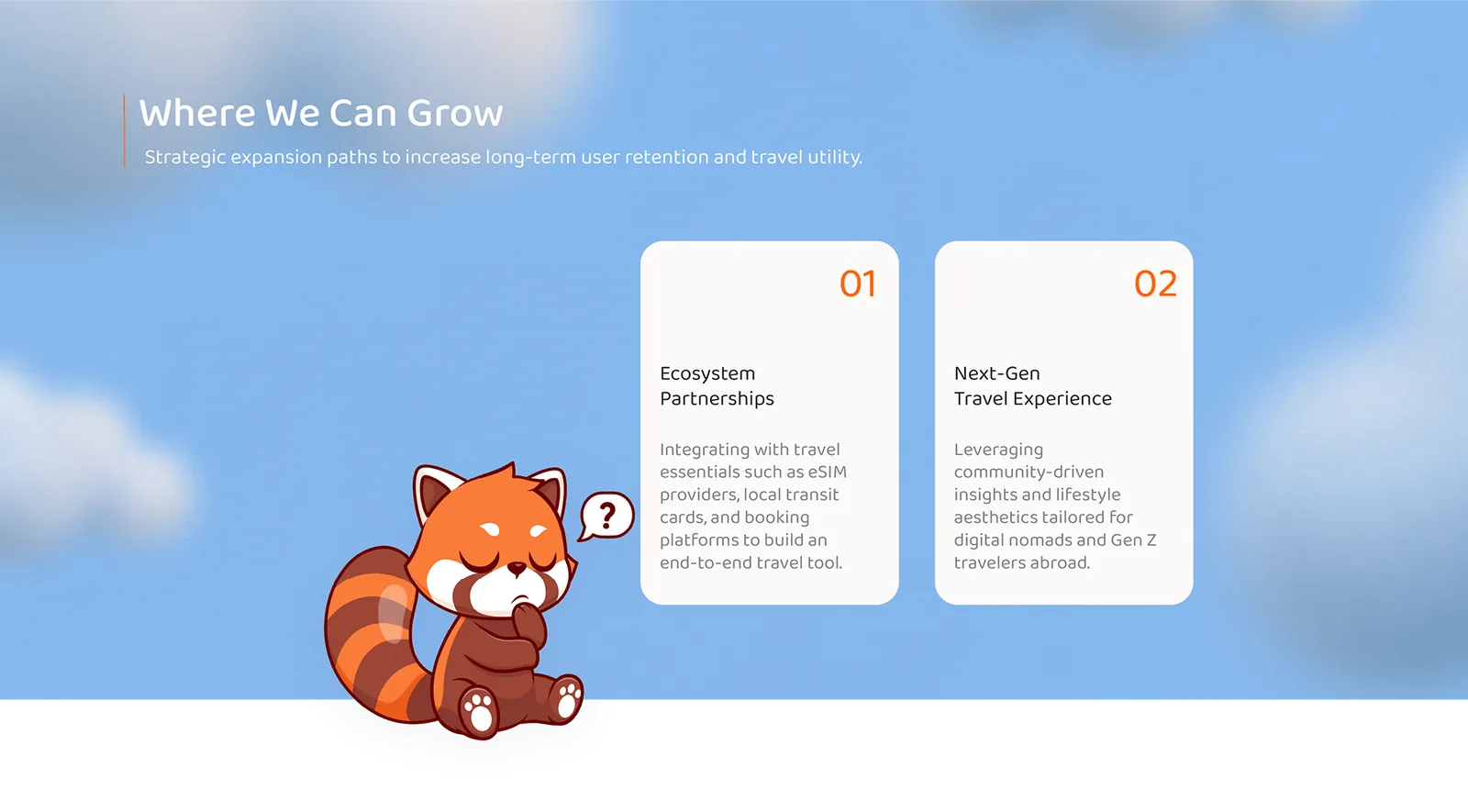
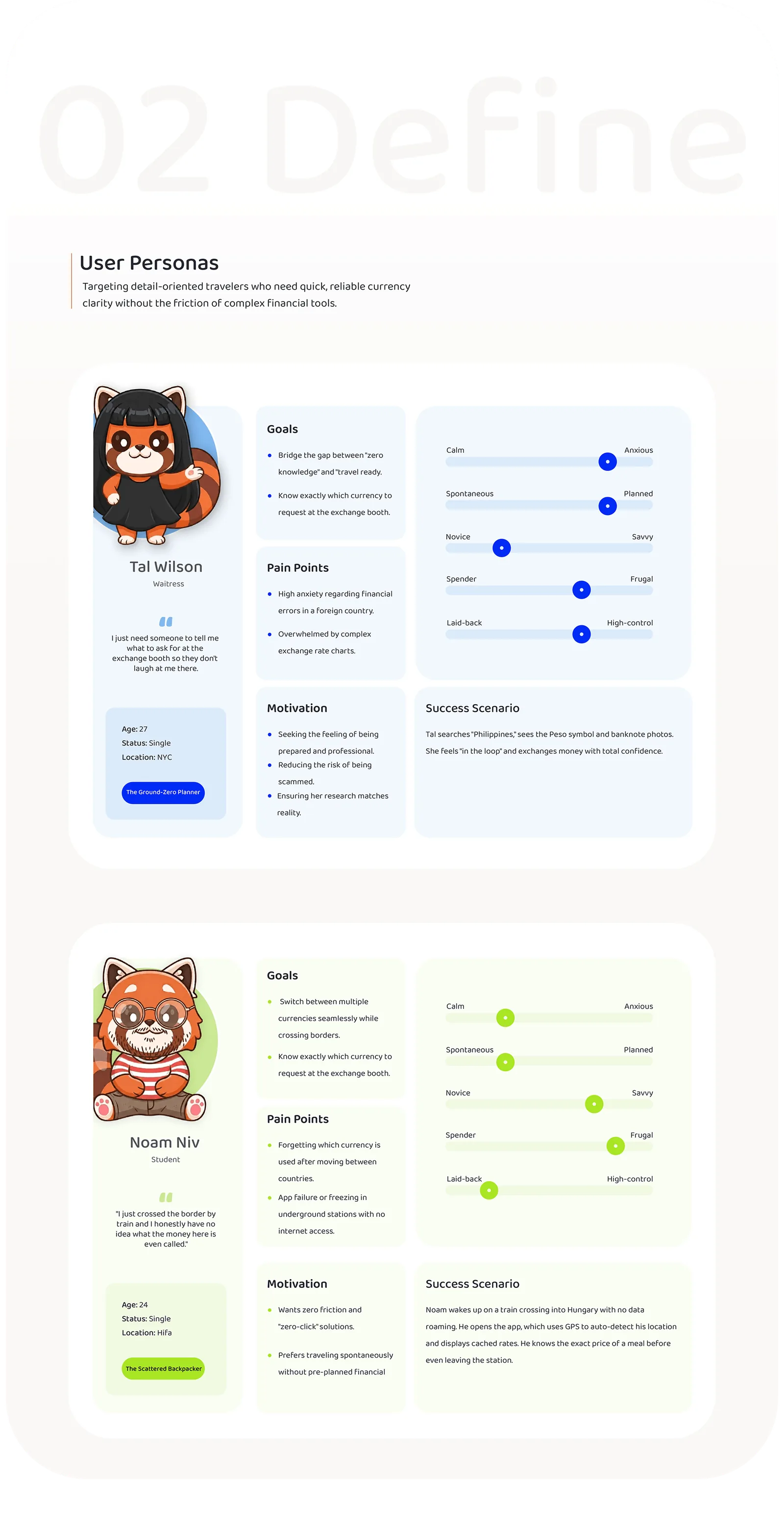
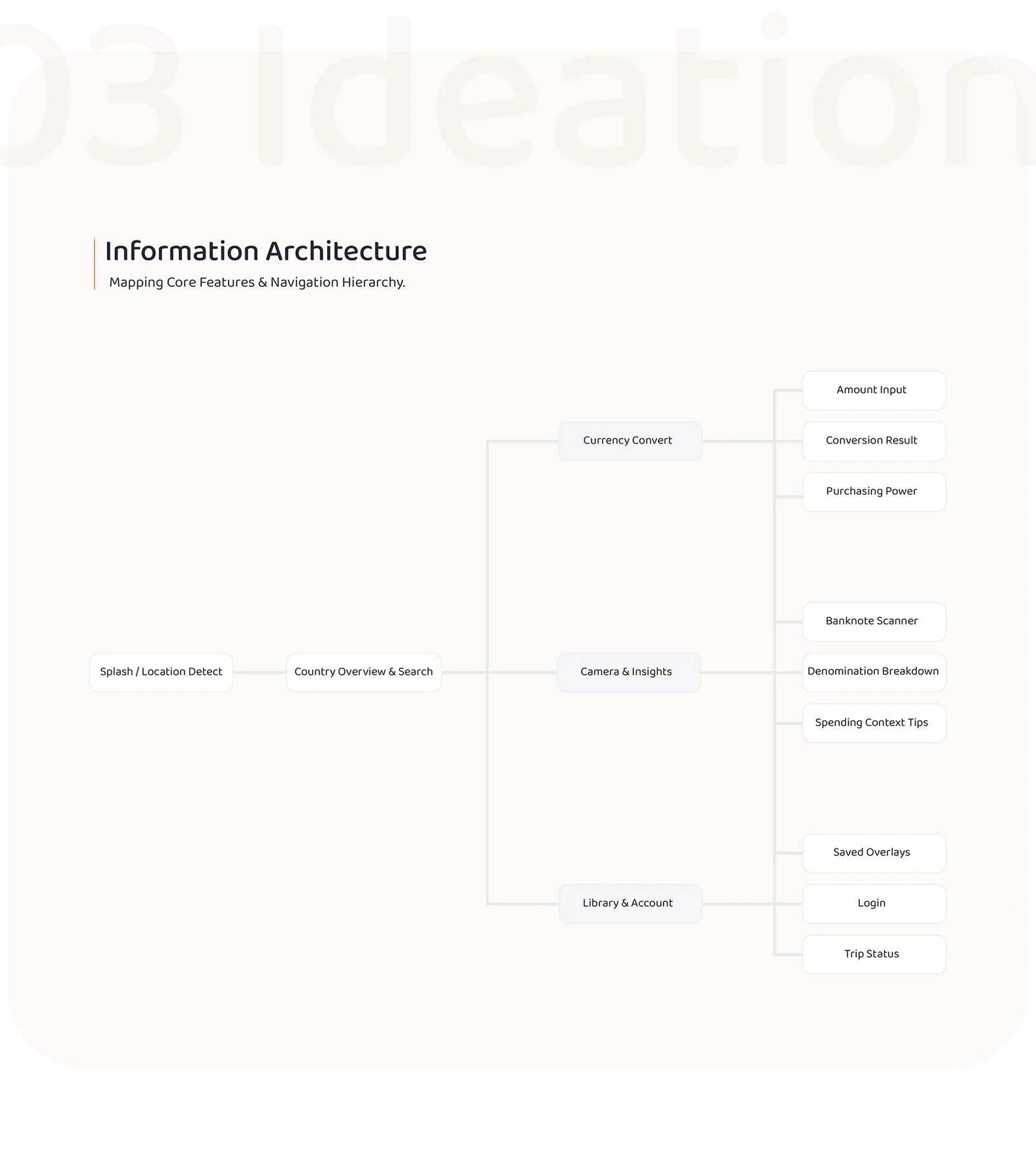
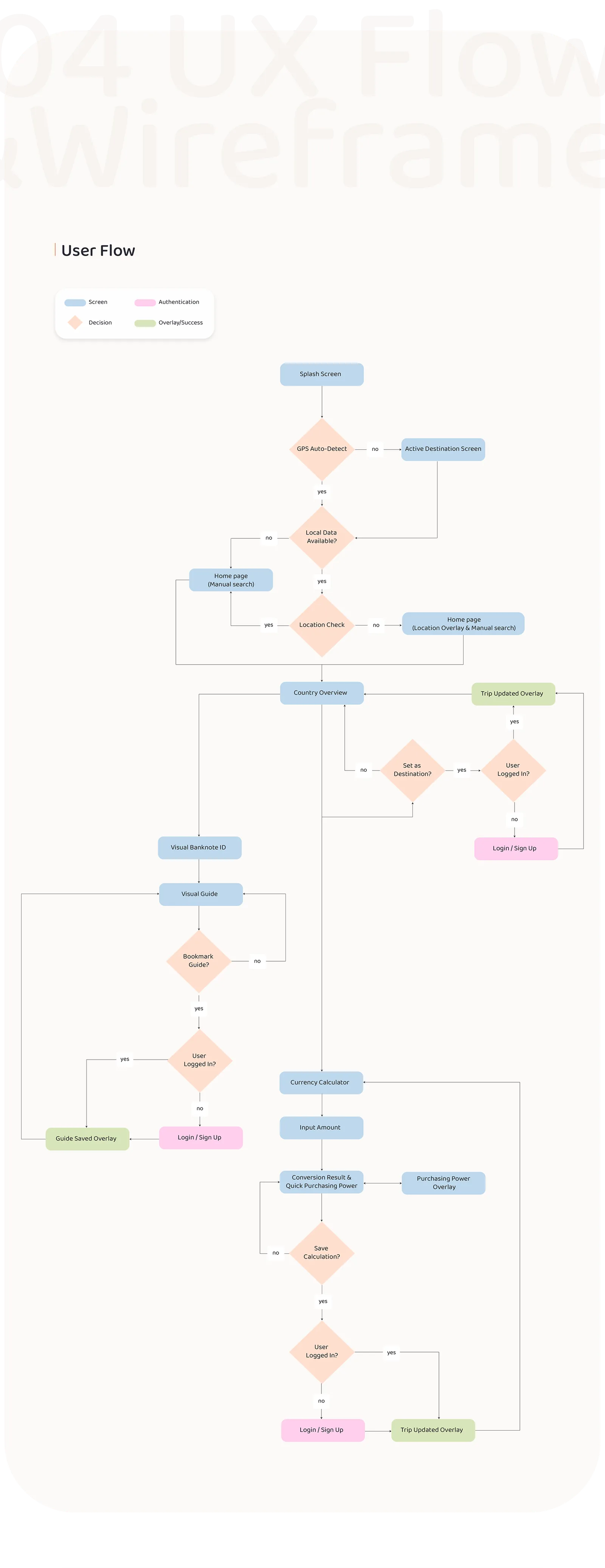
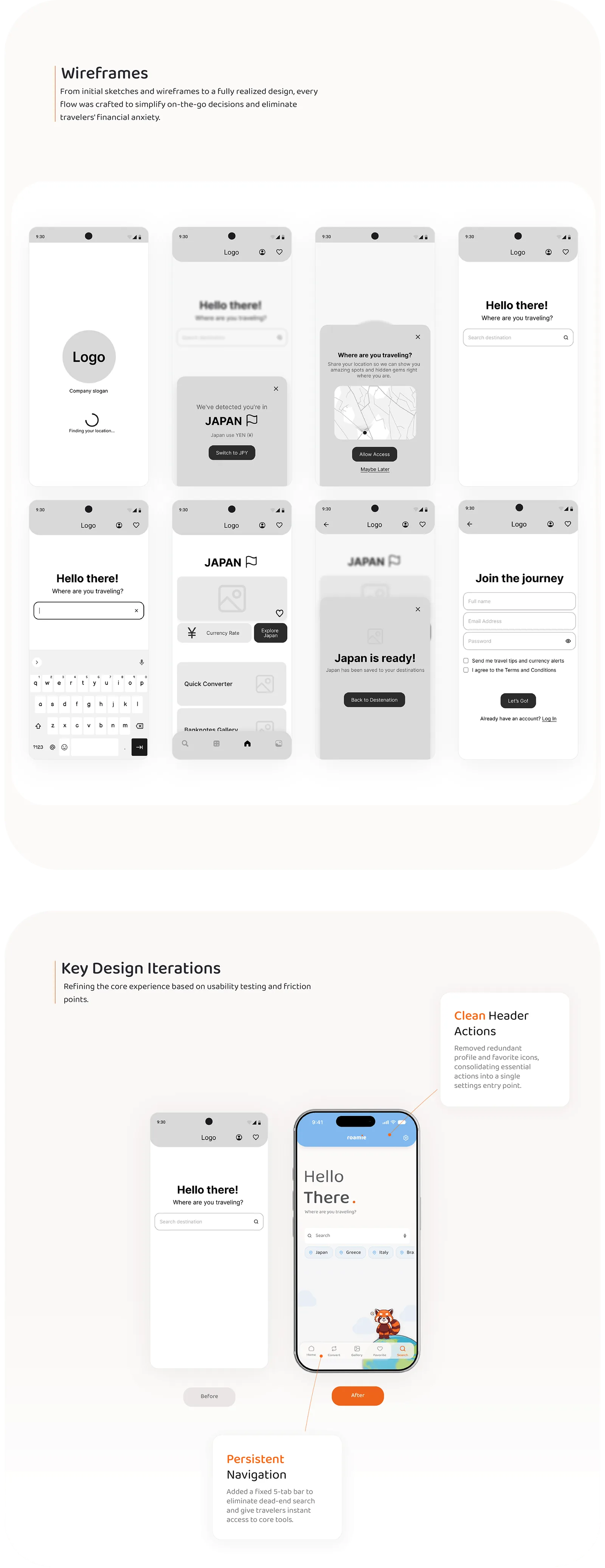
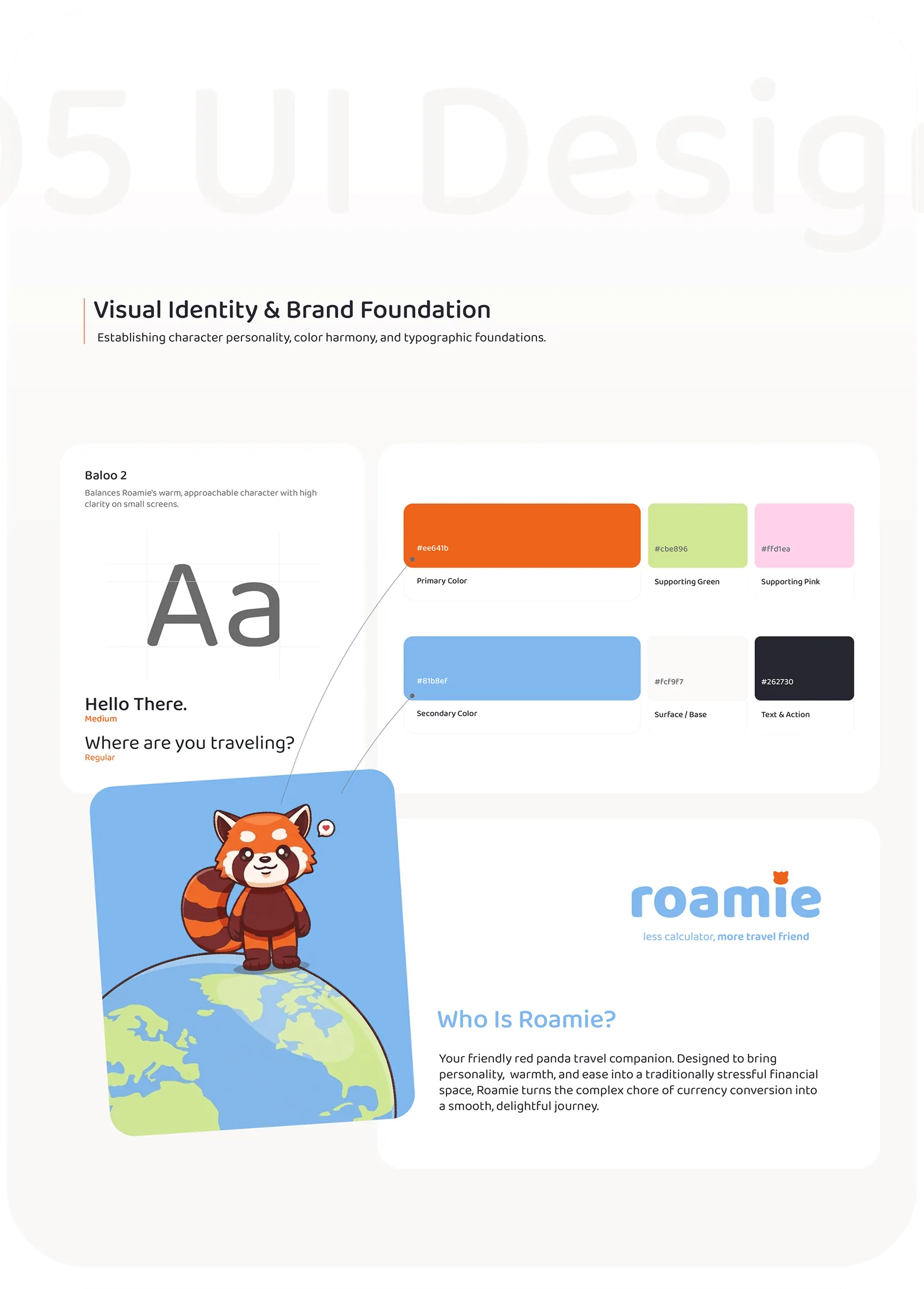
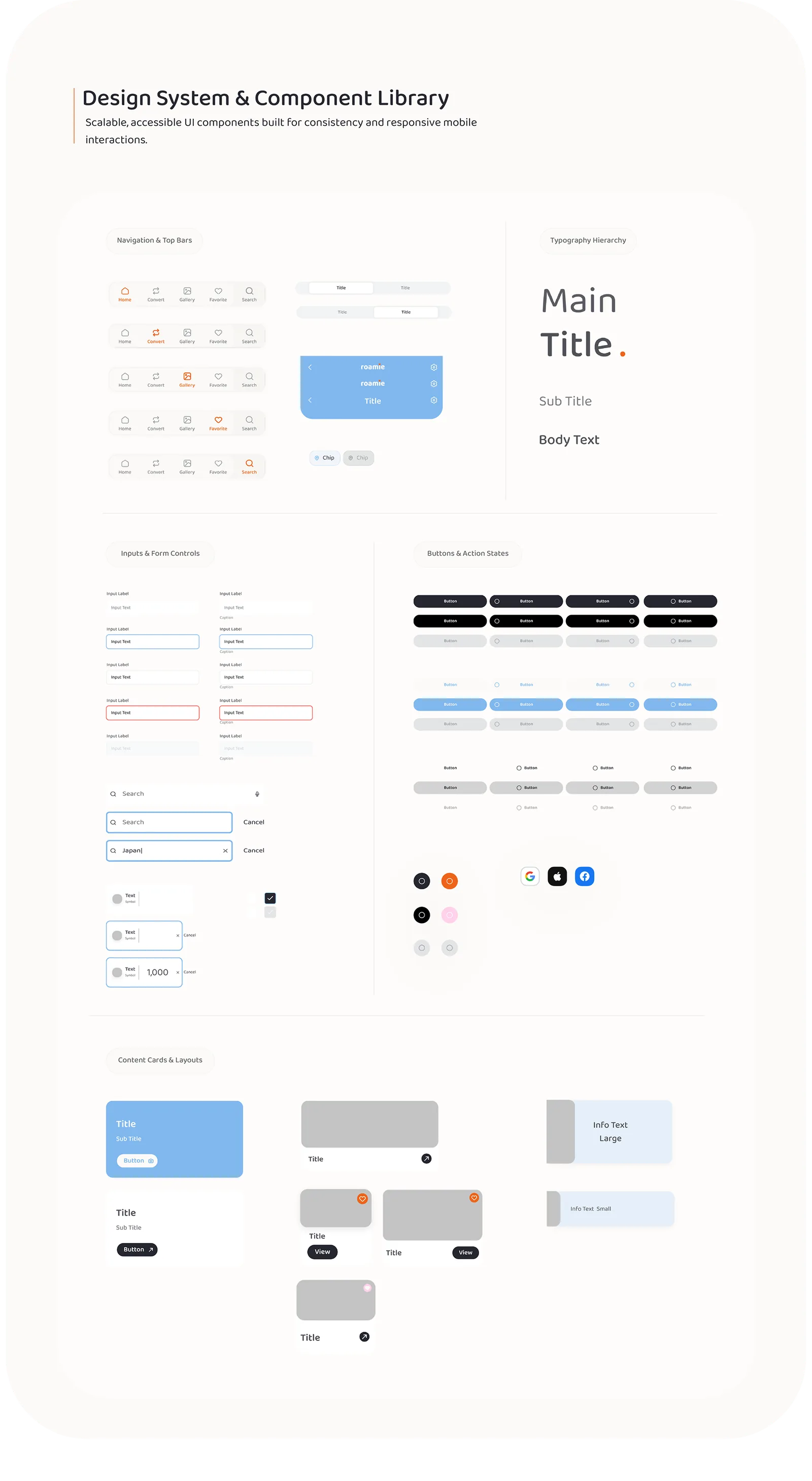
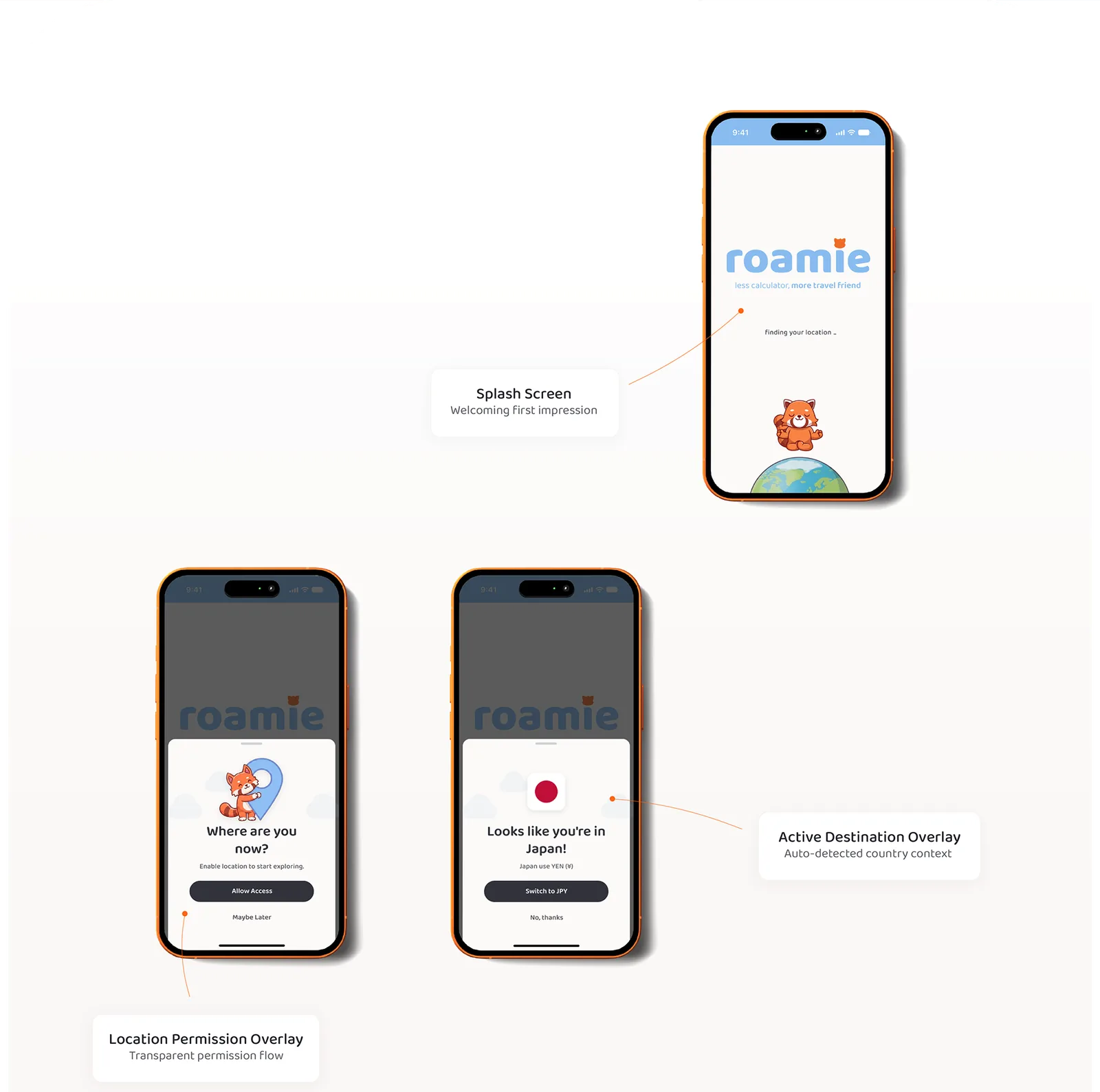
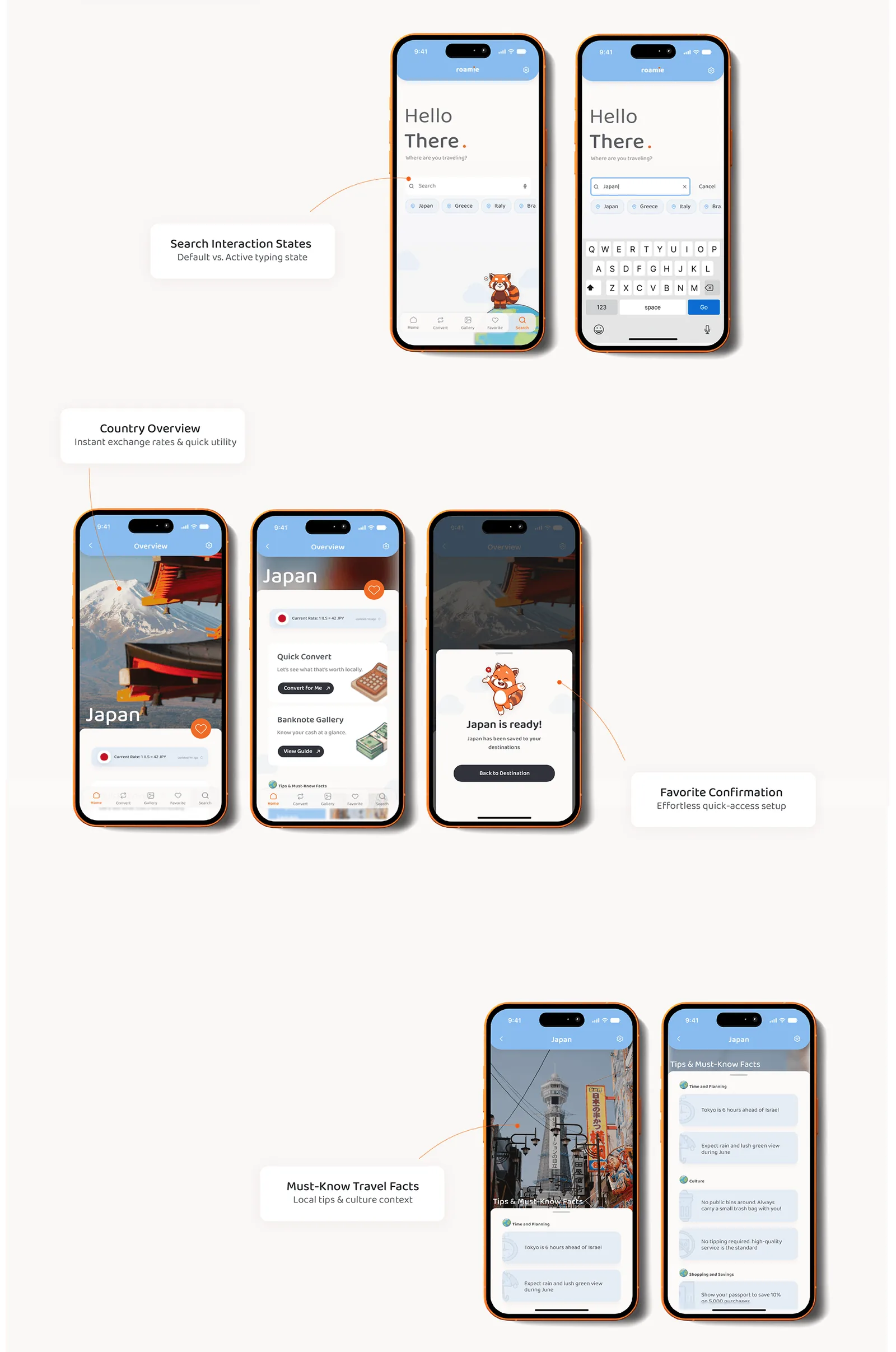
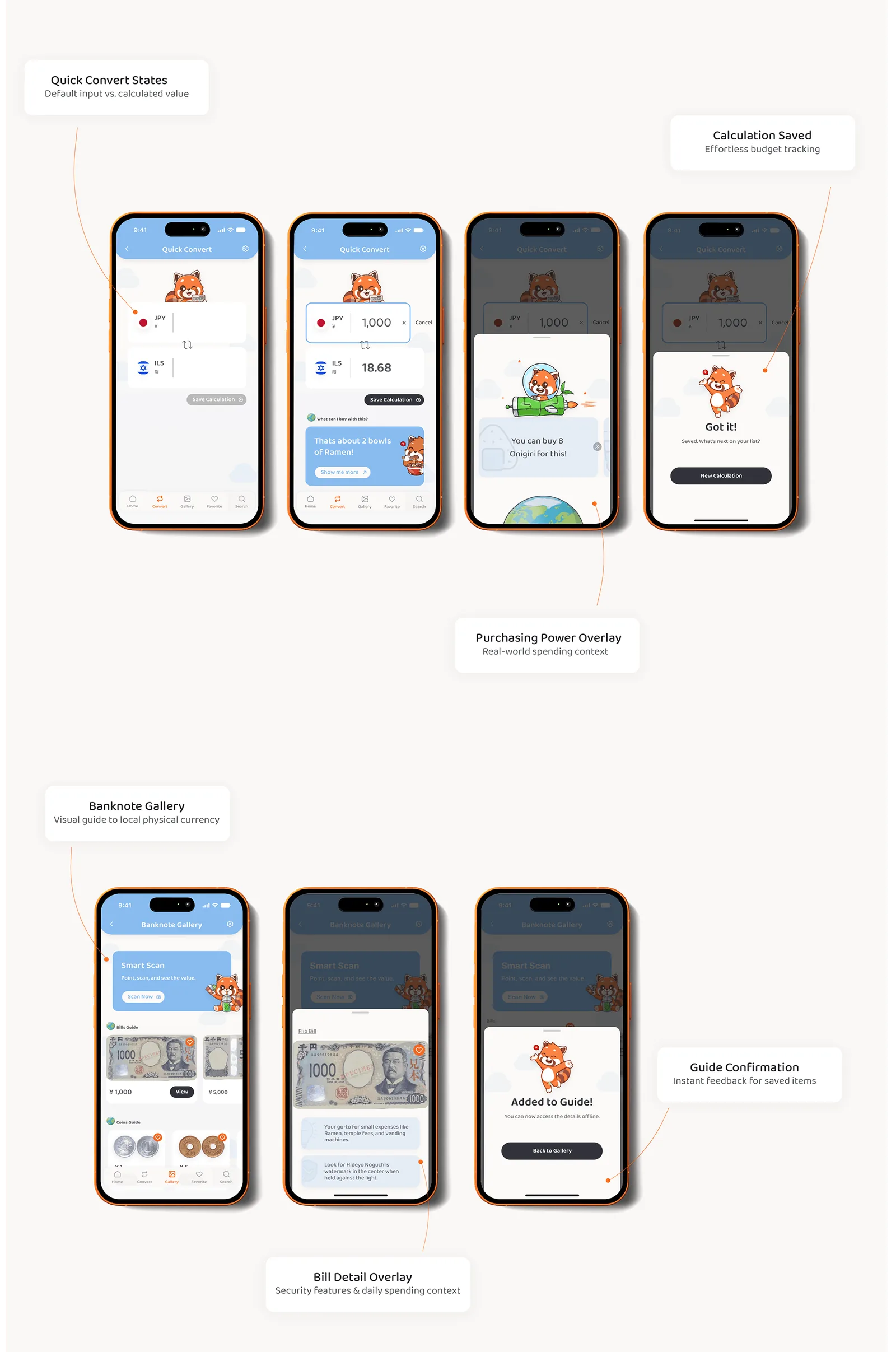
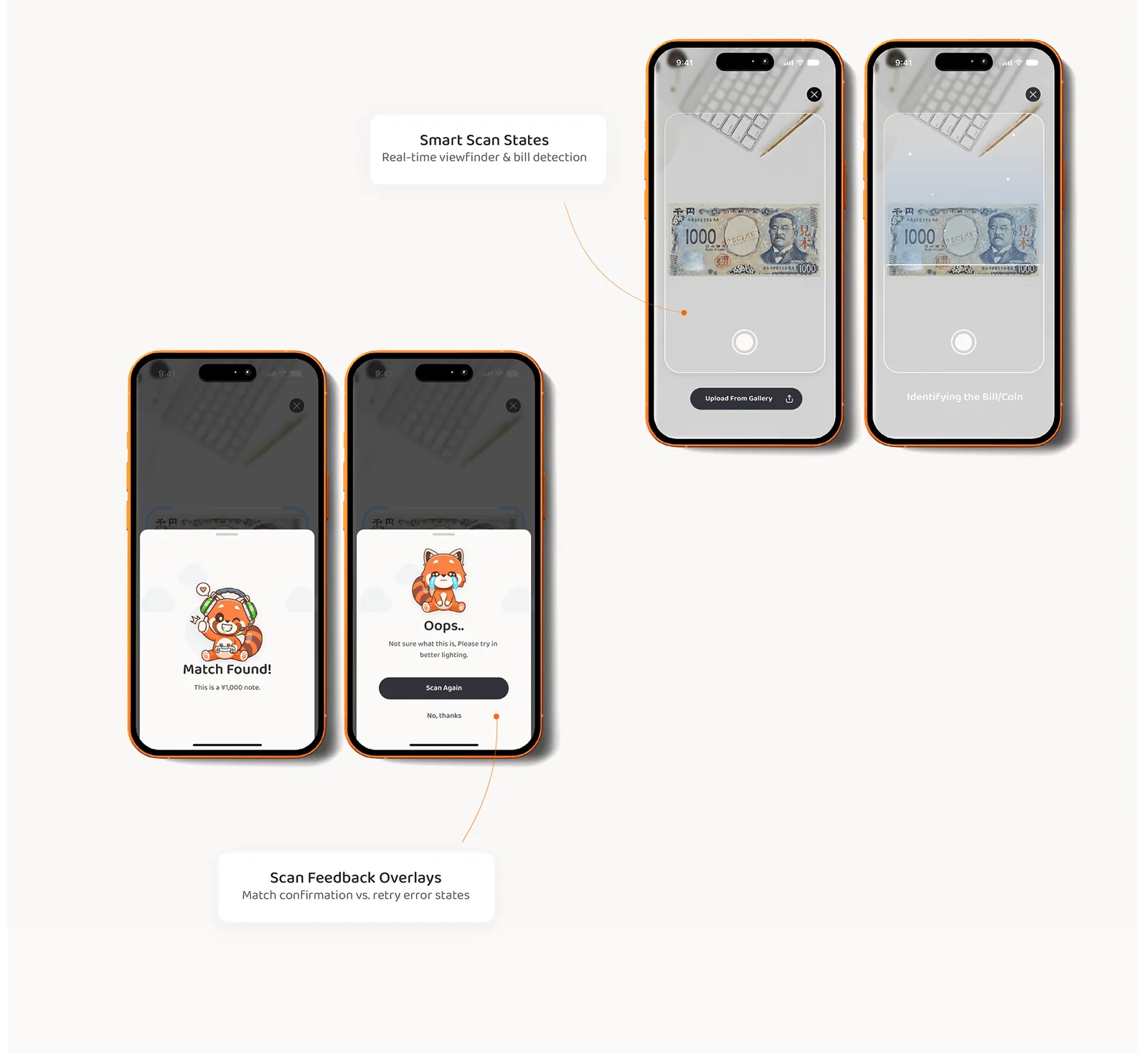
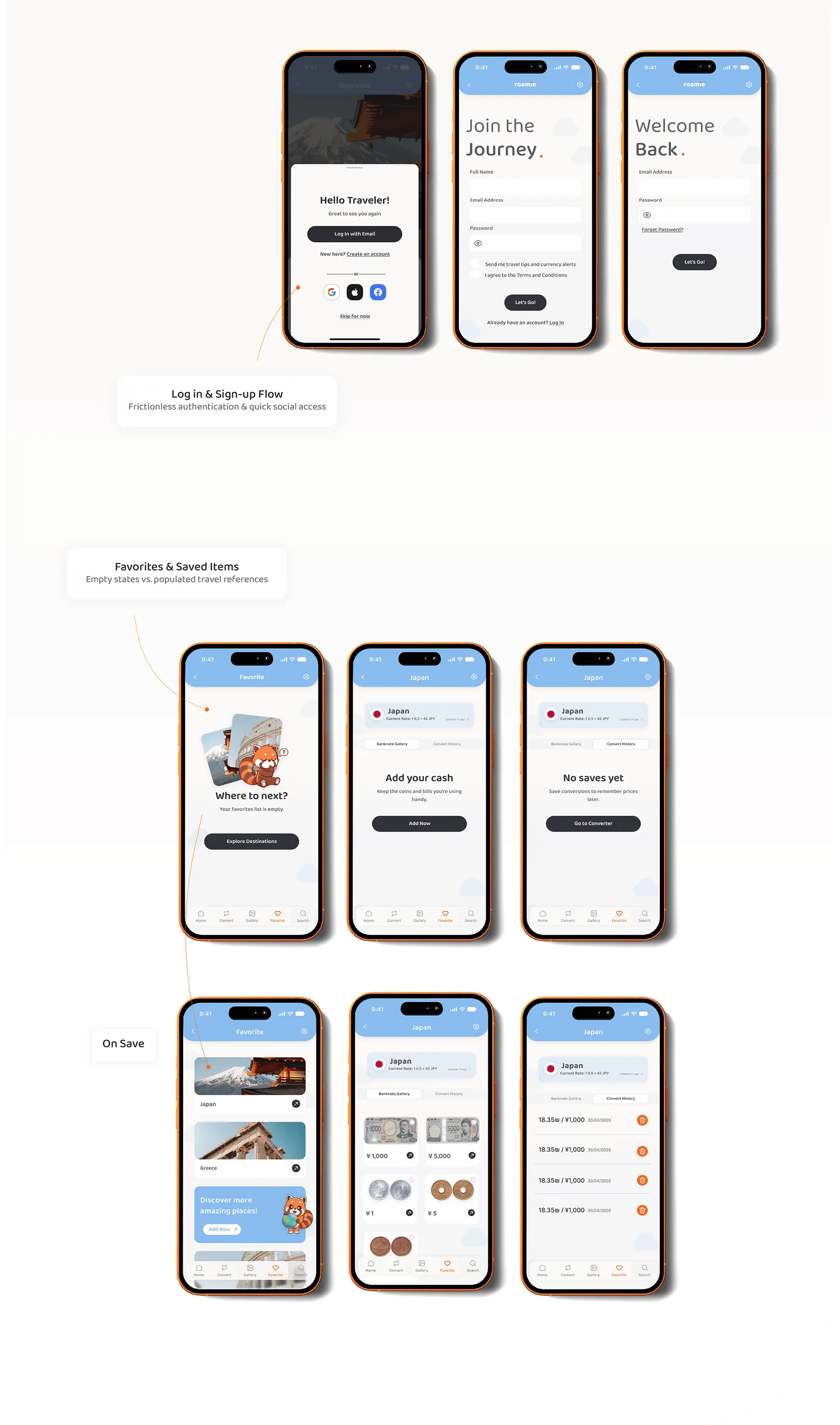
roamie is a smart currency utility for travelers: instant destination search, visual banknote and coin recognition via camera, and a converter for on-the-go budget management. Two orange phones show the home screen asking 'Where are you traveling?'. Know your destination inside out, without the currency confusion. The roamie red panda mascot, the splash screen, the Banknote Gallery with yen bills and coins, and the Japan overview screen. The Challenge: when simple cash payments turn into math anxiety. Three pain points: Unfamiliar Money, holding foreign coins and banknotes without knowing their value; Mental Math On the Go, calculating exchange rates at the checkout under pressure; App Hopping Fatigue, switching between calculators, browser tabs and photo galleries for one purchase. The Solution: a visual-first currency companion built to eliminate mental math and travel hesitation on the go. Three screens: Banknote Gallery for visual currency recognition, Country Overview for instant destination context, and Quick Convert for live exchange and purchasing power, showing 1,000 JPY as 18.68 ILS, about two bowls of ramen. Design Process: from deep research and wireframing to a polished, travel-first mobile experience. Six steps: 01 Research, 02 Define, 03 Ideation, 04 UX Flow and Wireframes, 05 UI Design, 06 Final Design. 01 Research. Where traditional converters fall short: High Friction, fixed by Smart Auto-Detection; Cluttered UI, fixed by a Focused Interface; Ad-Heavy apps, fixed by an Ad-Free Experience; Intimidating Layouts, fixed by Effortless Readability. Competitive Matrix benchmarking roamie against built-in OS search, traditional converters and FinTech apps across destination auto-detect, banknote recognition, purchasing power clarity, an ad-free interface and offline use. roamie covers all five. Below, three market and technical challenges: API dependency and offline limits, building immediate user trust, and market saturation. What makes roamie unique: Destination-First Logic that detects rates from the chosen destination; Purchasing Power Context that translates figures into local meal or coffee costs; Smart Trip Insights with spending tips and cultural context; Visual Context with real banknote and coin imagery. Where we can grow: 01 Ecosystem Partnerships with eSIM providers, local transit cards and booking platforms; 02 Next-Gen Travel Experience built on community insights for digital nomads and Gen Z travelers. 02 Define. User personas: Tal Wilson, 27, a waitress from NYC, the Ground-Zero Planner, who wants to know exactly which currency to ask for at the exchange booth; Noam Niv, 24, a student from Haifa, the Scattered Backpacker, who crosses borders spontaneously and needs the app to work offline. 03 Ideation. Information architecture: Splash and location detect leads to Country Overview and Search, which branches into Currency Convert, Camera and Insights, and Library and Account, each with its own sub-screens. 04 UX Flow and Wireframes. The full user flow from the splash screen through GPS auto-detect, country overview, visual banknote ID, the currency calculator, saving calculations and login. Wireframes of eight key screens, followed by Key Design Iterations comparing the home screen before and after: clean header actions and a persistent five-tab navigation bar. 05 UI Design. Visual identity and brand foundation: the Baloo 2 typeface, a palette of orange #ee641b, blue #81b8ef, green, pink, an off-white surface and dark text, and Roamie the red panda, a friendly travel companion that brings warmth to currency conversion. Design system and component library: navigation and top bars, typography hierarchy, inputs and form controls, buttons and action states, and content cards. 06 Final Design. The product experience: translating user insights into an intuitive, high-fidelity mobile experience. Onboarding screens: the splash screen, a transparent location permission overlay, and the active destination overlay that detects the user is in Japan and offers to switch to JPY. Final screens: search interaction states, default and while typing; the Japan country overview with exchange rate, Quick Convert and Banknote Gallery; a favorite confirmation saying Japan is ready; and must-know travel facts with local tips and culture context. Quick Convert states from empty input to 1,000 JPY equals 18.68 ILS, a purchasing power overlay saying you can buy 8 onigiri, and a calculation saved confirmation. Below, the Banknote Gallery, a bill detail overlay with security features and spending context, and an added-to-guide confirmation. Smart Scan states: a camera viewfinder detecting a 1,000 yen note, then feedback overlays for a match found and a retry message when the scan fails. Log in and sign-up flow with social sign-in, followed by favorites and saved items in empty states and after saving destinations, banknotes and conversion history. Thank you for watching. The roamie logo and the red panda mascot waving.
לכל העבודות